

DESCRIPTION
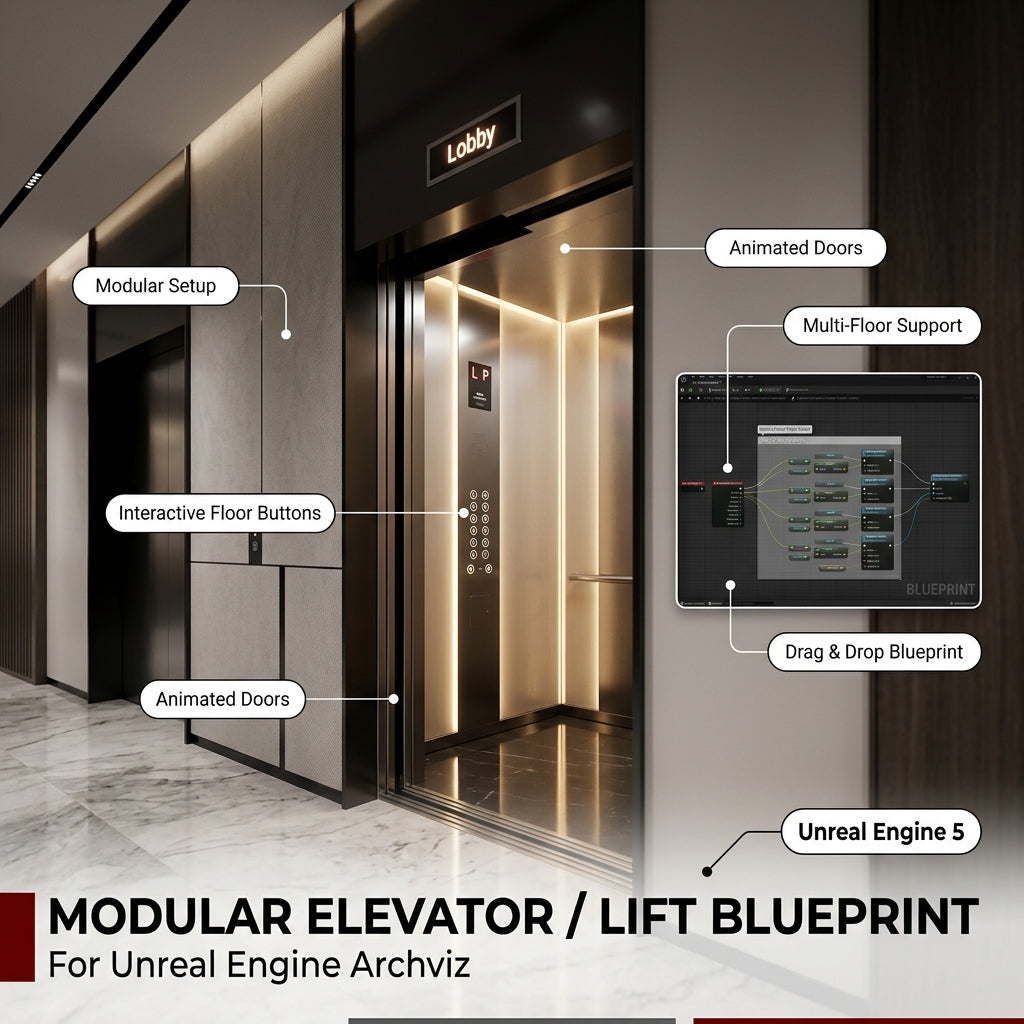
Create realistic and interactive elevator systems in your Unreal Engine archviz projects within minutes using this Modular Elevator / Lift Blueprint for Archviz.
This drag-and-drop blueprint is designed specifically for architectural visualization, interior walkthroughs, apartment towers, office buildings, hotels, malls, and VR experiences. Simply place the elevator blueprint in your scene, assign your floor locations, and instantly get a fully functional lift system with animated elevator doors, floor selection, smooth movement, and customizable settings.
The blueprint is built in a modular way, allowing you to easily customize:
- Number of floors
- Elevator speed
- Door open and close timing
- Floor button system
- Elevator sounds
- Interior and exterior lift design
- Custom meshes and materials
- UI prompts and interaction system
The Modular Elevator Blueprint works flawlessly with your existing Unreal Engine archviz workflow and integrates perfectly with your other 3darchstuffs products such as the free ARCHVIZ CHARACTER GAMEMODE, allowing users to interact naturally with the elevator inside realtime walkthroughs and VR presentations.
Perfect for:
- Residential building archviz
- Office building walkthroughs
- Hotel and mall visualization
- VR architectural presentations
- Interactive client presentations
- Unreal Engine 5 interior projects
Features:
- Drag and drop setup
- Modular and easy to customize
- Smooth elevator movement between floors
- Animated opening and closing elevator doors
- Interactive floor selection buttons
- Supports multiple floors
- Optimized for Unreal Engine 5
- Works with Lumen and Nanite projects
- VR-friendly interaction support
- Clean blueprint structure for easy editing
Save hours of development time and instantly add a professional interactive elevator system to your Unreal Engine architectural visualization project.
What Is Included & Delivery Format
Instant Digital Download: Production-ready Unreal Engine ArchViz asset from 3darchstuffs, delivered immediately after checkout.
Frequently Asked Questions
How will I receive this product after purchase?
Your download link is available immediately on the order confirmation screen and sent to your checkout email. Need help? Email info@3darchstuffs.com.
What is the difference between a Free Demo EXE and a Complete Project?
A Free Demo EXE is a compiled Windows walkthrough only (no source project files). A Complete Project includes the editable Unreal Engine project, materials, lighting, and assets.
Can I use this for commercial client presentations?
Yes, single-seat commercial project visualization use is included for your client presentations and renders. Redistribution or resale of raw source files or plugins is prohibited.
Where can I read full licensing and refund terms?
Visit our FAQ page, Digital Delivery Policy, and Refund Policy.